> ## Documentation Index
> Fetch the complete documentation index at: https://magicblock-42-dhruvja-fix-docs-copy-paste-breakers.mintlify.site/llms.txt
> Use this file to discover all available pages before exploring further.
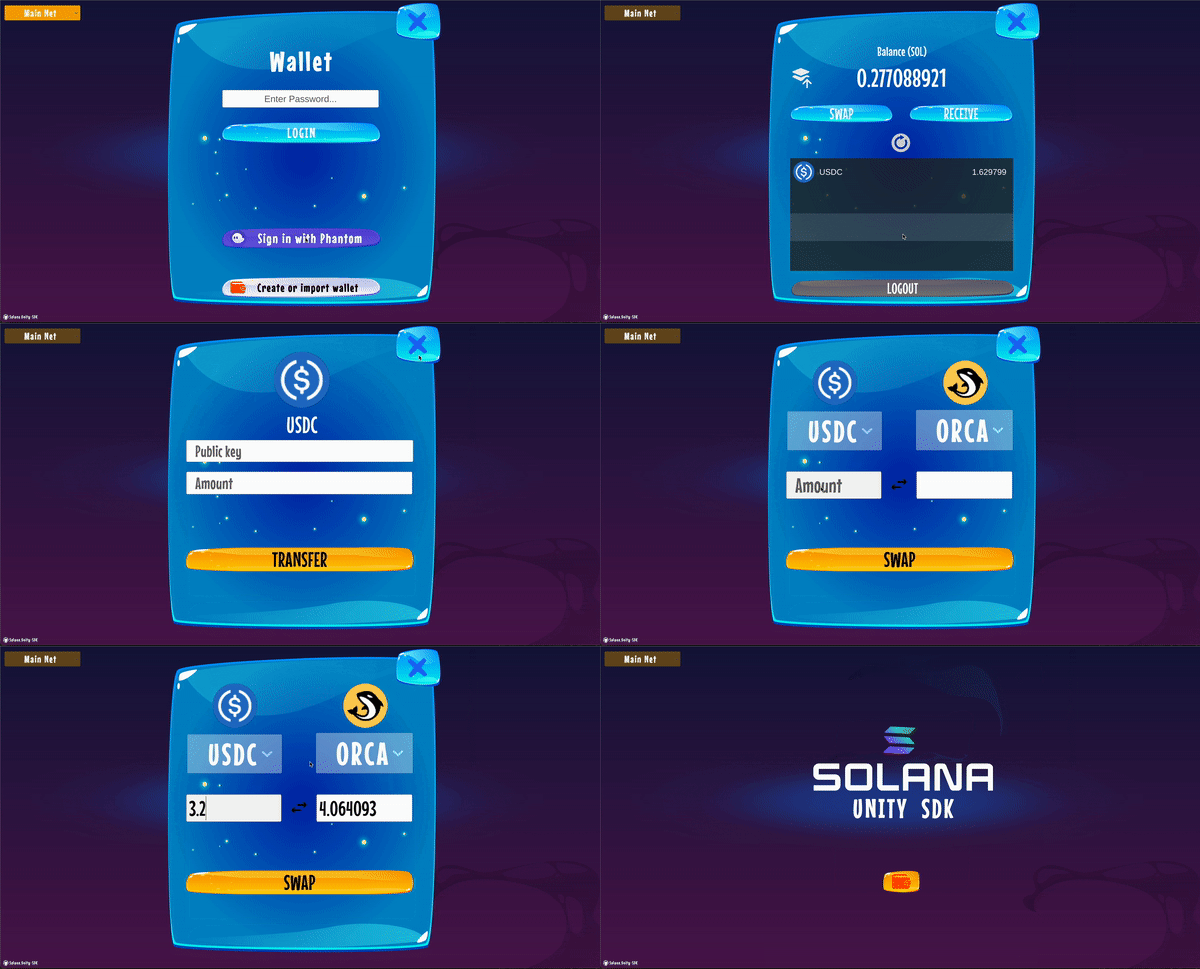
# Sample scene
> Play around with the sample scene
 ## Features
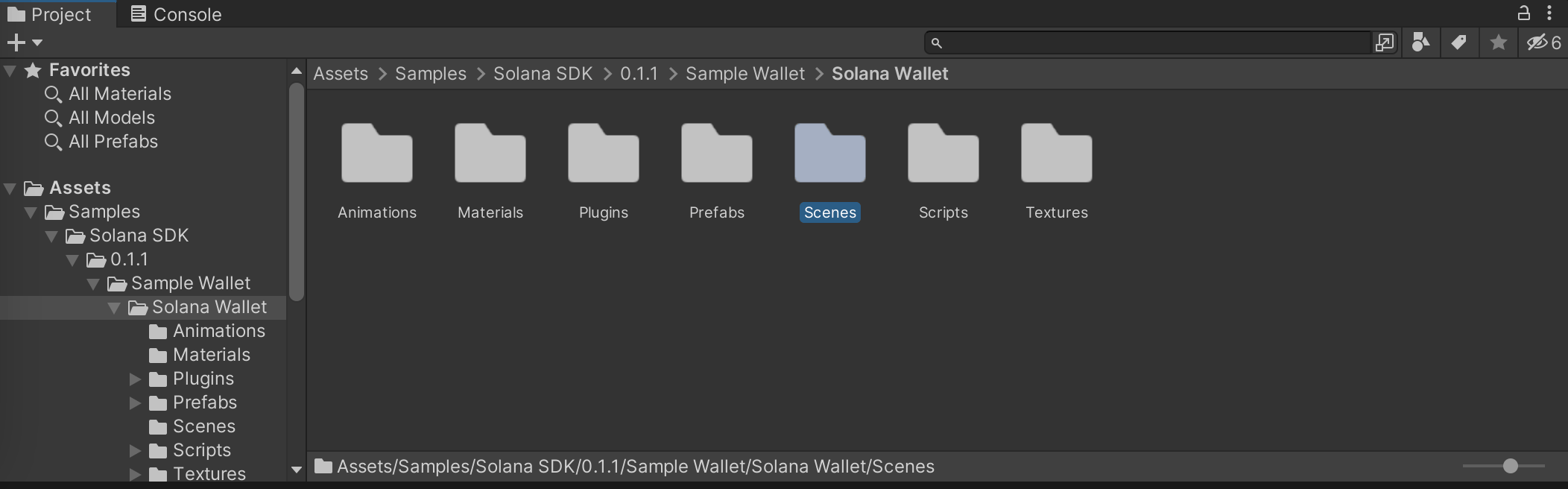
* Prefabs are templates that store Objects configuration. They can be used to create instances of the same assets and are easily reusable
* Scenes folder contains the full demo deployed here.
* Scrips folder contains different scripts examples (I.e. Assets/Samples/Solana SDK/0.1.1/Sample Wallet/Solana Wallet/Scripts/example/screens/SwapScreen.cs for Orca Swaps)
* Animations, Materials, Plugins and Textures are self-explanatory
Play around with the demo scene to familiarize yourself with the basic functionality of Wallets, NFT loading, transfers, swaps etc.
## Features
* Prefabs are templates that store Objects configuration. They can be used to create instances of the same assets and are easily reusable
* Scenes folder contains the full demo deployed here.
* Scrips folder contains different scripts examples (I.e. Assets/Samples/Solana SDK/0.1.1/Sample Wallet/Solana Wallet/Scripts/example/screens/SwapScreen.cs for Orca Swaps)
* Animations, Materials, Plugins and Textures are self-explanatory
Play around with the demo scene to familiarize yourself with the basic functionality of Wallets, NFT loading, transfers, swaps etc.